Knowing how to transfer Amazon Pay Balance to Bank Account is important for users who want to use wallet funds beyond shopping on Amazon. With a completed KYC, customers can move their Amazon Pay balance to bank account instantly through the Amazon app. This allows refunds, cashback, or gift card credits to be transferred without any extra charges.
In this blog, we explain how to transfer money from Amazon Pay balance to bank account step by step, who is eligible, what charges and limits apply, how long the transfer takes, and how to fix common issues so you can withdraw your Amazon Pay balance safely and without confusion.
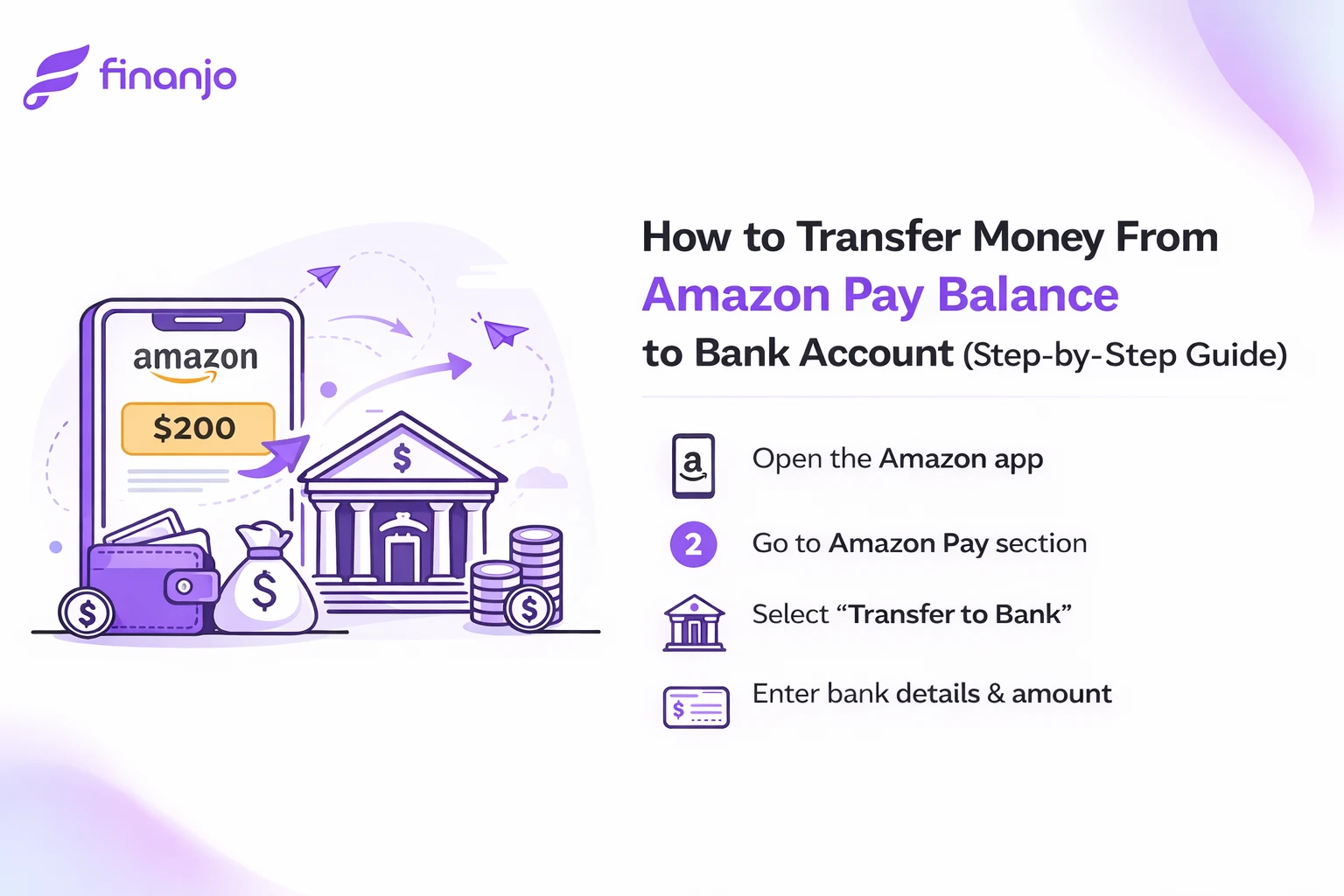
Key Highlights:
- KYC verification is mandatory for bank transfers
- Process is free of cost and takes only a few steps
- Money is credited instantly after confirmation
What Is Amazon Pay Balance?
Amazon Pay Balance is the money available in your Amazon Pay account that you can use for shopping on Amazon, paying bills, recharges, and in some cases, transferring money to your bank account. This balance can come from different sources like refunds, cashback, wallet top-ups, or gift cards.
However, not all Amazon Pay balances are transferable to a bank account. Amazon Pay clearly divides the balance into two main types.
Types of Amazon Pay Balance
1) Gift Card Balance (Non-Transferable)
-
Added when you receive or purchase Amazon gift cards
-
Can also come from promotional gift vouchers
-
Cannot be withdrawn to a bank account
-
Can only be used for:
-
Shopping on Amazon
-
Paying for select services on Amazon
-
2) Amazon Pay Wallet Balance (Transferable)
-
Comes from:
-
Cashback rewards
-
Refunds to Amazon Pay
-
Money added directly to Amazon Pay wallet
-
-
Can be transferred to a linked bank account
-
Requires full KYC verification
Difference Between Amazon Pay Wallet Balance and Gift Card Balance
| Feature | Amazon Pay Wallet Balance | Gift Card Balance |
|---|---|---|
| Transfer to Bank | Allowed | Not Allowed |
| KYC Required | Yes (Mandatory) | No |
| Source of Balance | Cashback, refunds, wallet top-ups | Gift cards & promo vouchers |
| Usage | Shopping, bills, transfers | Shopping & services only |
| Expiry | Usually no expiry | May have expiry date |
When Is Amazon Pay Balance Transfer to Bank Allowed?
Amazon Pay allows bank transfer only in these cases:
-
The balance is Amazon Pay Wallet Balance
-
Your KYC is fully completed
-
A valid Indian bank account is linked
-
The transfer amount is within allowed limits
When Is Amazon Pay Balance Transfer NOT Allowed?
Bank transfer is not allowed when:
-
The balance is Gift Card Balance
-
KYC is not completed or pending
-
Bank account is not linked or verification failed
-
Balance comes from restricted promotional credits
-
Transfer limits are exceeded
If you want to withdraw money to your bank, always check which type of Amazon Pay balance you have. Only Amazon Pay Wallet Balance with completed KYC can be transferred gift card balance cannot be withdrawn under any condition.
Eligibility to Transfer Amazon Pay Balance to Bank
Before you can transfer money from Amazon Pay balance to your bank account, you must meet certain eligibility conditions set by Amazon and RBI wallet guidelines. If even one condition is not fulfilled, the “Transfer to Bank” option may not appear.
1) KYC Requirement (Mandatory)
Completing Full KYC (Know Your Customer) is compulsory to withdraw Amazon Pay wallet balance to a bank account.
Why KYC is required
- Amazon Pay is a semi-closed wallet regulated under RBI norms
- KYC helps verify your identity and prevent fraud
What happens without KYC
- You can use balance only for shopping or bill payments
- Bank transfer option remains disabled
KYC details usually required
- Aadhaar (OTP or video verification)
- PAN (in some cases)
- Registered mobile number
Important: Only Amazon Pay Wallet Balance becomes transferable after successful KYC. Gift card balance remains non-transferable even after KYC.
2) Supported Bank Accounts
Amazon Pay allows transfer only to Indian bank accounts that support standard NEFT/IMPS transactions.
Key points
- Savings or current accounts are supported
- Cooperative and regional rural banks usually work
- Bank account must be active (not dormant or frozen)
Not supported
- International bank accounts
- Prepaid-only or invalid accounts
- Accounts with incorrect IFSC or name mismatch
Always double-check account number and IFSC while linking the bank.
3) Mobile Number Must Match Bank & Amazon Account
Your registered mobile number plays a critical role in verification.
Why this matters
- OTP verification is used during:
- KYC
- Bank account linking
- Transfers
- Many banks verify accounts using the mobile number linked with Aadhaar or bank records
Common issues
- Amazon account number ≠ bank-registered number
- Old or inactive mobile number
- OTP not received or verification failure
Best practice: Use the same mobile number for:
- Amazon account
- Bank account
- Aadhaar (if used for KYC)
4) Minimum Balance Requirement
You must have a minimum transferable wallet balance to initiate a bank transfer.
Key points
- Very small amounts may not be eligible for transfer
- Amount must be within Amazon Pay’s wallet transfer limits
- Promotional or restricted credits may be excluded
If balance is below minimum
- Transfer option may be greyed out
- Transaction may fail after initiation
Ensure the balance is wallet balance, not gift card or promo credit.
Eligibility Checklist
You can transfer Amazon Pay balance to bank only if:
- Full KYC is completed
- Balance is Amazon Pay Wallet Balance
- Indian bank account is linked and verified
- Mobile number matches across records
- Balance meets minimum transfer requirement
If your KYC is complete, bank account is correctly linked, and the balance is wallet balance, transferring Amazon Pay balance to your bank is smooth and hassle-free. Most issues arise due to incomplete KYC or mobile number mismatch, so fixing these first saves time and frustration.
Transfer Money From Amazon Pay Balance to Bank Account (Step-by-Step)
| Step | Action | What to Do |
|---|---|---|
| Step 1 | Open the Amazon App | Login using your registered mobile number and OTP. |
| Step 2 | Go to Amazon Pay Section | Tap on Amazon Pay from the home screen or menu. |
| Step 3 | Open Amazon Pay Balance | Select the Wallet / Balance option to view available balance. |
| Step 4 | Complete KYC (If Not Done) | Complete Aadhaar or PAN verification using OTP or video KYC. |
| Step 5 | Link Your Bank Account | Enter bank account number, IFSC, and verify via OTP. |
| Step 6 | Choose “Transfer to Bank” | Enter the amount to transfer and confirm the transaction. |
| Step 7 | Check Transfer Status | View instant or processing status in transaction history. |
Steps to Transfer Amazon Pay Balance to Bank Account
| Step | Action | Explanation |
|---|---|---|
| Step 1 | Open the Amazon App | Launch the Amazon app on your phone and log in using your registered mobile number. |
| Step 2 | Go to “Send Money” | From the Quick Links section, select the Send Money option. |
| Step 3 | Choose Bank Transfer | Tap on the Bank Transfer option in the Send Money interface. |
| Step 4 | Enter Bank Details | Fill in basic details such as your name, bank account number, and IFSC code, then tap Pay Now. |
| Step 5 | Enter Transfer Amount | Specify the amount you want to transfer from your Amazon Pay balance. |
| Step 6 | Select Amazon Pay Balance | On the payment method page, tap Show more ways → select Pay using Amazon Pay balance → click Continue. |
Amazon Pay Balance Transfer Limits
Before transferring money from your Amazon Pay balance to a bank account, it’s important to understand the minimum amount, maximum limits, and KYC-based restrictions. These limits are set as per RBI wallet guidelines and Amazon Pay policies.
| Limit Type | Details |
|---|---|
| Minimum transfer amount | Usually starts from a small amount (₹1 or ₹10 depending on account and bank). |
| Maximum per transaction | Limited to a fixed cap per transfer to prevent large one-time withdrawals. |
| Daily transfer limit | Applies to the total amount transferred in one day. |
| Monthly transfer limit | Capped to comply with wallet regulations. |
1) Minimum Transfer Amount
- Amazon Pay usually allows bank transfers only above a small minimum amount
- Very low balances may not show the Transfer to Bank option
- Promotional or restricted credits may not count toward the minimum
If the transfer option is disabled, check whether your balance meets the minimum requirement and is wallet balance (not gift card balance).
2) Maximum Amount per Transaction
- There is a cap on how much you can transfer in a single transaction
- This helps prevent misuse and failed high-value transfers
- If you want to transfer a large amount, you may need to split it into multiple transactions
3) Daily and Monthly Transfer Limits
Amazon Pay also applies daily and monthly caps on wallet-to-bank transfers.
- Daily limit: Restricts how much you can transfer in one day
- Monthly limit: Restricts total transfers in a calendar month
- Once the limit is reached, further transfers are blocked until the limit resets
Limits reset automatically after the daily or monthly cycle ends.
4) Limits for KYC vs Non-KYC Users
| User Type | Minimum Transfer | Maximum per Transaction | Daily Limit | Monthly Limit |
|---|---|---|---|---|
| Non-KYC User | Not applicable | Transfer not allowed | Transfer not allowed | Transfer not allowed |
| Full KYC User | Low minimum (₹1 / ₹10) | Up to wallet transfer cap | Subject to daily limit | Subject to monthly wallet limit |
Amazon Pay Balance to Bank Transfer Charges
When users withdraw money from Amazon Pay Wallet Balance to a bank account, one of the most common questions is whether any charges or GST apply. Here’s a clear, up-to-date explanation.
Is Amazon Pay Balance to Bank Transfer Free?
Yes Amazon Pay generally allows free transfer of wallet balance to a bank account for users who have completed full KYC.
There is no standard withdrawal fee charged by Amazon for normal transfers.
Any Service Fee or GST?
- No service fee for regular Amazon Pay wallet withdrawals
- No GST is charged on standard balance-to-bank transfers
- The exact payable amount shown on the confirmation screen is what gets credited to your bank
If a fee ever applies, Amazon clearly shows it before you confirm the transaction.
Cases Where Charges May Apply
Although most transfers are free, charges may apply in specific situations, such as:
- Special or Promotional Wallet Credits
- Some cashback or promotional balances may have usage restrictions
- These are often non-transferable or usable only for shopping
- Third-Party or Partner-Linked Transfers
- In rare cases, transfers routed via partner services may include processing fees
- Any fee is shown upfront
- Bank-Side Charges (Rare)
- Some banks may levy charges for failed or reversed IMPS/NEFT transactions
- This is bank-dependent, not Amazon Pay–imposed
- Policy or Regulatory Changes
- Charges can change based on RBI guidelines or internal Amazon Pay policy updates
- Always check the in-app confirmation page
Points to Remember
- Only Amazon Pay Wallet Balance is eligible for bank transfer
- Gift Card Balance cannot be transferred, so charges don’t apply there
- Completing full KYC ensures access to free withdrawals
- Always review the final confirmation screen before proceeding
For most users, Amazon Pay balance to bank transfer is completely free, with no service fee and no GST. Charges apply only in limited, clearly disclosed cases, making Amazon Pay one of the most cost-effective wallet withdrawal options.
How Long Does Amazon Pay Balance Transfer Take?
The time taken to transfer Amazon Pay Wallet Balance to a bank account depends on factors like the bank, transfer mode, and transaction status. In most cases, the transfer is quick, but sometimes it may take longer.
Instant Transfer Cases
Amazon Pay balance transfer can be instant (within minutes) in the following situations:
- Your KYC is fully completed
- Bank account is already linked and verified
- Transfer is processed via IMPS
- Bank servers are working normally
- Transfer amount is within daily limits
In such cases, the amount usually reflects in your bank account within a few minutes.
Standard Processing Time (24–48 Hours)
If the transfer is not instant, it usually follows standard processing timelines:
- Most bank transfers are completed within 24 hours
- In rare cases, it may take up to 48 hours
- Delays can occur due to:
- Bank holidays or weekends
- Technical issues at bank or Amazon Pay’s end
- High transaction volume
The transaction status will show “Processing” or “Pending” in Amazon Pay history during this time.
What to Do If Money Is Not Credited
If your Amazon Pay balance is deducted but not credited to your bank, follow these steps:
- Check Transaction Status
- Open Amazon Pay → Transaction History
- Look for Processing, Pending, Completed, or Failed
- Wait for 48 Hours
- Most pending transfers auto-complete or reverse within this time
- Check Bank Statement
- Sometimes the amount reflects late but shows the same date
- Contact Amazon Pay Support
- Use in-app help → Amazon Pay → Bank Transfer issue
- Keep transaction ID ready
- Automatic Refund (If Failed)
- If transfer fails, the amount is usually refunded to Amazon Pay balance
Things to Remember
- Weekends and bank holidays may cause delays
- Incorrect bank details can result in failure or reversal
- Always rely on transaction ID, not SMS delay alone
- Instant transfers happen within minutes in ideal conditions
- Standard transfers may take 24–48 hours
- If money is not credited, check status, wait 48 hours, and contact support if needed
Common Problems & Solutions (Amazon Pay Balance to Bank)
Below are the most common issues users face while transferring Amazon Pay balance to a bank account, along with clear, practical solutions.
1) “Transfer to Bank” Option Not Visible
Why it happens
- KYC is not completed
- Balance is Gift Card balance, not wallet balance
- Bank account not linked
Solution
- Complete full KYC in Amazon Pay
- Check that the balance is Amazon Pay Wallet Balance
- Link and verify your bank account
2) KYC Verification Failed or Pending
Why it happens
- Aadhaar/PAN details mismatch
- OTP not verified properly
- Video KYC incomplete
Solution
- Recheck name, DOB, and ID details
- Retry OTP or video KYC
- Ensure mobile number matches Aadhaar/bank records
3) Bank Account Linking Issues
Why it happens
- Incorrect account number or IFSC
- Bank account is inactive/dormant
- OTP verification failed
Solution
- Re-enter correct bank details
- Use an active savings/current account
- Retry linking using a stable network
4) Amount Deducted but Not Credited
Why it happens
- Bank-side delay
- Temporary technical issue
- Transfer under processing
Solution
- Check transaction status in Amazon Pay history
- Wait up to 48 hours
- If failed, amount is usually auto-refunded
- Contact Amazon Pay support with transaction ID
5) Transaction Pending or Failed
Why it happens
- Bank server downtime
- Exceeded daily/monthly limits
- Network interruption
Solution
- Wait for status update (up to 48 hours)
- Check transfer limits
- Retry transfer after some time
Amazon Pay Balance vs Amazon Gift Card Balance
Understanding the difference between these two balances is crucial, because only one can be transferred to a bank account.
| Feature | Amazon Pay Wallet Balance | Amazon Gift Card Balance |
|---|---|---|
| Transfer to Bank | Yes | No |
| KYC Required | Mandatory | Not required |
| Source | Cashback, refunds, wallet top-up | Gift cards & promo vouchers |
| Usage | Shopping, bills, bank transfer | Shopping & services only |
| Expiry | Usually no expiry | May have expiry date |
Which Balance Can Be Transferred to Bank?
- Only Amazon Pay Wallet Balance
- Amazon Gift Card Balance cannot be transferred under any condition
Best Use Cases for Each
- Amazon Pay Wallet Balance
- When you want cash in your bank account
- Paying bills, recharges, or UPI-style payments
- Using cashback or refunds flexibly
- Amazon Gift Card Balance
- Amazon shopping and subscriptions
- Gifting someone Amazon credit
- Offers and promotional use
Most transfer problems happen due to incomplete KYC or confusion between wallet balance and gift card balance. Once KYC is done and the correct balance is used, Amazon Pay balance to bank transfer works smoothly.
Safety Tips While Transferring Amazon Pay Balance
Transferring money from Amazon Pay balance to a bank account is generally safe, but small mistakes can lead to fraud, failed transactions, or loss of money. Following the safety tips below helps ensure your transfer is secure and trouble-free.
Never Share OTP or UPI PIN
Your OTP and UPI PIN are strictly confidential and are required only within the official Amazon app during verification.
- Amazon never calls, messages, or emails asking for OTP or PIN
- Sharing OTP or PIN can allow unauthorized access to your account
- If someone asks for it, assume it is a scam and stop immediately
Always enter OTP or PIN only inside the Amazon app on your own device.
Double-Check Bank Details
Incorrect bank details are one of the most common reasons for failed or misdirected transfers.
- Carefully verify bank account number and IFSC code
- Ensure the account holder name matches your bank records
- Avoid copy-paste errors while entering details
A few seconds of verification can save you from long delays or failed transfers.
Use Only the Official Amazon App
Always transfer money using the official Amazon mobile app or website.
- Avoid third-party apps or unofficial links claiming faster transfers
- Download the app only from trusted sources like Google Play Store or Apple App Store
- Keep your app updated to the latest version for security patches
Using unofficial sources increases the risk of data theft and fraud.
Avoid Public Wi-Fi During Transactions
Public Wi-Fi networks are often unsecured and can expose your data.
- Avoid transferring money using public Wi-Fi in cafes, airports, or railway stations
- Use a secure private mobile network or trusted home Wi-Fi
- If necessary, wait until you have a stable and secure connection
A secure network ensures your personal and financial information stays protected.
Safe Amazon Pay balance transfer depends largely on your own precautions. Never share OTP or PIN, double-check bank details, use only the official app, and avoid public Wi-Fi. Following these simple steps ensures your money reaches the bank securely and without issues.
FAQ about transferring money from amazon pay to bank account
Q1. Can Amazon balance be transferred to a bank?
It is possible to transfer funds from your Amazon payments account to your bank account. Simply make a transfer to your bank account or a purchase of an Amazon.com Gift Certificate. However, before the transfer, you must complete the bank account verification process.
Q2. What are the essential eligibility criteria to transfer your Amazon Pay balance to a bank account?
While there isn’t a precise eligibility requirement, to use this feature, one must finish their Amazon KYC verification. A contact number and proof of government identification (passport, Aadhaar, driver’s license, or voter ID) are needed to finish the Amazon KYC verification process.
Q3. What is the maximum amount that can be transferred from my Amazon Pay balance to a bank account?
The maximum monthly amount you can transfer from your Amazon Pay balance to a bank account is Rs. 1,00,000.
Q4. How long does it take to transfer an Amazon Pay balance to a bank account?
Aside from the time needed to enter information such as your bank account number and IFSC code, moving your Amazon Pay balance to a bank account is easy and takes only a minute or two.
Q5. What should I do if my transfer fails or is delayed?
A transaction can fail for several reasons. The problem can be fixed by getting in touch with Amazon’s customer service or the customer service of the relevant bank.
Q6. Can I use Amazon Pay balance for UPI?
You can use your Amazon Pay balance (Money) in any online or physical store that takes UPI payments after generating an Amazon Pay balance UPI handle.
Q7. Is it safe to use Amazon Pay?
Using Amazon Pay gives you peace of mind if you have an Amazon account. Whenever you see it, you may make use of its advantages without paying more.
Q8. How to withdraw my Amazon pay balance?
When you check out, your Gift Card balance will be transferred instantly to eligible orders. You can opt not to use your Gift Card as a payment method at checkout if you want to keep the amount for a later time.
Q9. What is an Amazon wallet?
A digital wallet named Amazon Wallet, frequently referred to as Amazon Pay Balance, permits users to make purchases on Amazon as well as other websites and applications.
Q10. How can I use my Amazon gift card balance?
Conclusion
Transferring money from Amazon Pay Balance to a bank account is a convenient and secure option when you understand how it works. Once your KYC is completed, the correct wallet balance is available, and your bank account is properly linked, the transfer process becomes smooth and usually free of charge.
The key is to remember that only Amazon Pay Wallet Balance is transferable, while Gift Card Balance is meant strictly for shopping and services. By following the step-by-step process, keeping an eye on transfer limits, and applying basic safety precautions like protecting your OTP and verifying bank details, you can avoid most common issues.
Leave a Reply